

Find an answer
AI Assistant
Search information, explain data or prepare content in response to a request.
“Which invoices are overdue?”
Returns the information for your team to act on.

AI can do more than answer questions.
Oracast builds AI agents and intelligent automation that can analyze information, use approved tools, connect business systems and help complete real business tasks.
From preparing customer communications to processing documents and coordinating workflows across multiple applications, AI can become part of how work gets done.
AI agents use artificial intelligence and approved tools to help complete a business task. They can gather information, prepare the next step and take permitted actions across your systems.
Your application defines the permissions, business rules and approvals.

Interpret the goal and retrieve the relevant business information.
Analyze the situation and select an appropriate next step.
Use approved tools, request review when needed and report the result.
Assistants, automation and agents solve different parts of a business process. A useful solution can combine all three.
Find an answer
Search information, explain data or prepare content in response to a request.
“Which invoices are overdue?”
Returns the information for your team to act on.
Follow a defined process
Use AI to interpret information within a workflow governed by business rules.
“Read this invoice and route it for approval.”
Combines AI interpretation with predictable workflow steps.
Work toward a goal
Select from approved tools to investigate a situation and coordinate the next steps.
“Investigate yesterday's failed invoice submissions.”
Prepares or performs permitted actions, with human review where required.
Start with the handoffs that keep people moving between documents, applications and approvals.
Turn invoices, forms and work orders into information your application can use.
AI extracts and matches the details. Your business rules determine whether the document can proceed or needs employee review.
Receive the document
Extract and match information
Validate fields and request any required approval
Update the application or flag an exception
The result: less manual entry, with exceptions directed to the right person.
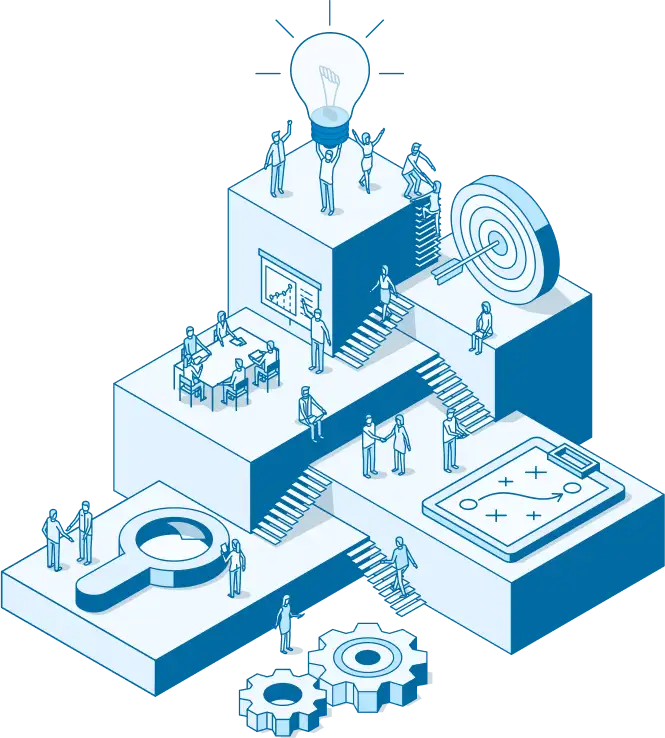
Bring account history, service activity and company policies together before preparing a customer response.
Your team reviews sensitive communications. Approved tools can send the response, create a follow-up task and record the activity.
The result: better prepared replies and fewer manual handoffs.
Respond when a job becomes overdue, an integration fails or a record is missing important information.
An agent can investigate the event, gather the relevant records and recommend a correction or perform a permitted action.
The result: your team spends less time searching for problems and more time resolving exceptions.
Coordinate the information gathering and preparation behind expenses, reports and contract renewals.
For a renewal, an agent could review the contract and account history, prepare documents and request account-manager approval before sending anything.
The result: less repetitive coordination across applications.
A request can start the work. So can a business event. A new document, rejected invoice or overdue job can trigger a defined workflow.
A workflow in practice
A job is complete, but its accounting submission fails. Here is how an agent could help.
Identify the failed submission and retrieve its error message.
Review the job and customer records to find the likely cause.
Determine whether a correction is allowed or needs approval.
Follow the permitted path, verify the result and log the action.
Within approved permissions
Apply the permitted correction, resubmit the invoice and confirm the submission status.
Employee review required
Explain the issue and recommend a correction. An authorized employee reviews it before the agent proceeds.
One visible outcome: a completion summary, a record of the actions taken and anything still requiring human attention.
Connect AI to your custom application, customer portal, CRM or accounting platform through controlled APIs and tools.
Your existing application remains the system of record. AI adds an intelligence and coordination layer.
Explore AI IntegrationWe assess APIs, data quality, access controls and business logic before connecting an agent. Some systems need targeted modernization first.
Choose the level of automation for each action. Start with recommendations and expand only when the workflow is ready.
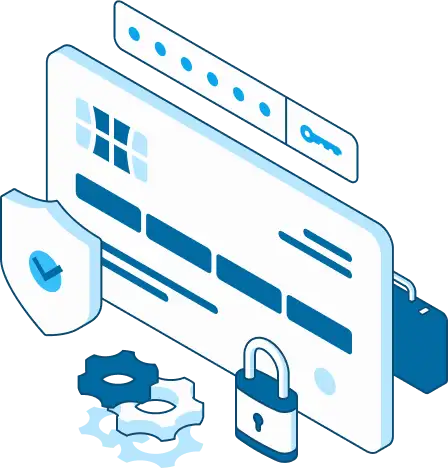
AI suggests the next step. Your employee performs it.
AI prepares the work. Your employee reviews and executes it.
AI requests approval, then executes the authorized action.
AI performs low-risk actions that are explicitly approved.
AI coordinates a defined workflow and escalates exceptions.
People retain responsibility for sensitive decisions, unusual situations and higher-risk actions.
Controls belong in the application and its tools, so each action follows your business rules.
Authenticate users, check permissions and give each agent only the tools and data its task requires.
Validate inputs and outputs. Apply deterministic business rules and require approval for sensitive actions.
Record tool calls and actions. Define how failures are handled and when an employee needs to take over.
Monitor API usage, cost, response times and output quality as models and connected systems change.
Choose a repetitive, well-understood task with accessible data and a result you can measure.
Map the work, handoffs and exceptions. Establish what a useful result would look like.
AI ConsultingDefine the tools, permissions and approval points. Test the approach with limited capabilities.
AI ImplementationIntegrate the systems. Test real scenarios, failures and permission boundaries before launch.
AI IntegrationMonitor reliability, usage and outcomes. Expand the workflow as its business value is demonstrated.
AI App CareApplication development, AI and integration expertise in one team. Oracast builds both the intelligence that understands the work and the software connections required to perform it.
An assistant primarily answers questions or prepares content. An agent can also use approved tools to perform actions and coordinate several steps toward a business goal.
Use traditional automation for predictable rules and repeatable steps. AI can help interpret documents or variable situations; many workflows combine both approaches.
Often, yes, through suitable APIs and integrations. We first assess the application's architecture, data and permissions to identify any modernization needed.
When authorized, an agent can use controlled tools to update records or send communications. Sensitive actions can require employee approval, and unrestricted database access is avoided.
Low-risk, explicitly approved actions can run automatically. People remain involved in exceptions, sensitive decisions and actions that require judgment or approval.
Validation, business rules and approval points help prevent errors from reaching important workflows. Logging and defined error handling support investigation, recovery and escalation.
The main factors are workflow complexity, connected systems, tool requirements and controls. A focused workflow generally needs less work than an agent coordinating multiple business processes.
Models, APIs and applications change. Oracast's AI App Care can monitor agent errors, integrations, permissions, usage, costs and output quality, and maintain the solution over time.
Show us the workflow that keeps your team moving between systems, checking statuses or preparing the same information.
We will help identify a practical starting point and the controls it needs.
Talk to Us About AI Automation