

Traditional Application
User → Application → Data

AI becomes much more useful when it is connected to the systems, data and workflows your business already depends on. Oracast builds AI-powered web and mobile applications, integrates AI into existing business software and connects AI to your data, documents and business systems.
Instead of adding another standalone chatbot, we help turn your applications into intelligent business tools that can understand, search, analyze, recommend and—when appropriate—take action.
Talk to Us About Your AI ApplicationAn AI-powered application is software that uses artificial intelligence to help users understand information, find answers, analyze data, generate content, make recommendations or perform business tasks.
Unlike a standalone AI chatbot, an AI-powered application can be connected directly to the application's data, business rules, users, permissions and workflows.
AI-Powered Applications Can:
The goal isn't to add AI because AI is available. The goal is to use AI where it makes the application more useful, efficient or intelligent.
A chatbot can answer questions.
A business application can do much more.
When AI is connected to an application's data and systems, it can become part of the workflow itself.
The best AI opportunities usually exist where people spend significant time searching, reviewing, analyzing, entering, summarizing or moving information between systems.
Help users find information faster.
Help users understand business data.
Reduce manual document processing.
Help users make better-informed decisions.
Help users create and manage communications.
Reduce repetitive manual work.
AI capabilities can be introduced progressively.
Users ask questions in natural language.
"How many jobs did we complete yesterday?"
AI searches across application data and business knowledge.
"Find all contracts that expire within 90 days."
AI analyzes business information.
"Which customers have had the most service issues this quarter?"
AI identifies potential actions or recommendations.
"Which customers should our account managers contact?"
AI performs approved actions.
"Create a support ticket for this customer."
AI participates in multi-step workflows.
Not every application needs to reach Level 6. The right level depends on the business problem, risk and value.
If your business already has a custom application, customer portal or internal system, it may already contain the most valuable ingredient for AI:
Your business data and workflows.
Instead of replacing the application, AI can be added to it.
Business information is often spread across applications, databases, PDFs, spreadsheets, emails and third-party systems.
AI can provide a more natural way for employees to interact with that information.
Examples of Information Types:
Instead of searching several systems manually:
"Which customers have overdue invoices, open support issues and contracts expiring this year?"
An AI-powered application can potentially bring the relevant information together into one response.
Important Security Principle
AI should only access information that the user is authorized to access.
Your application is only part of your technology environment.
AI can become more useful when it can securely interact with the other systems your business uses.
Common Integrations:
A user asks:
"Which completed jobs haven't been exported to accounting?"
The AI-powered application could:
The opportunity is not just AI inside your application. It is AI working across your business systems.
An AI assistant can give employees or customers a natural-language interface to the information and capabilities already inside your application.
Assistant Capabilities:
Instead of navigating through multiple screens:
"Show me all open jobs for this customer and summarize the issues associated with each one."
The assistant can retrieve and present the relevant information.
Traditional search requires users to know what to search for and where to look.
AI search allows users to ask questions using normal language.
User searches:
"invoice 10482"
User asks:
"Show me invoices for this customer that are overdue and haven't been paid in more than 60 days."
AI Search Can Work Across:
Where appropriate, responses should provide links or references back to the underlying source information so users can verify the result.
An assistant primarily helps people find and understand information.
An AI agent can go further by using defined tools and taking approved actions.
Assistant
"Which customers haven't renewed?"
Agent
Potential Agent Actions
Not every action should happen automatically.
Sensitive or consequential actions can require human approval.
Security Controls
AI agents can be designed around:
Sometimes the right answer is a new application.
Oracast can build AI capabilities directly into new web and mobile applications instead of adding them later.
Customers can:
Employees can:
Users can:
Employees can:
Many businesses already have applications containing years of valuable data and business logic.
The question isn't always:
"What new AI software should we buy?"
It may be:
"How can we make our existing application more intelligent?"
The right approach depends on the application, the business problem and the expected value—not on whether AI happens to be involved.
Connecting AI to business systems introduces new security and governance considerations.
AI should not automatically receive unrestricted access to company data or systems.
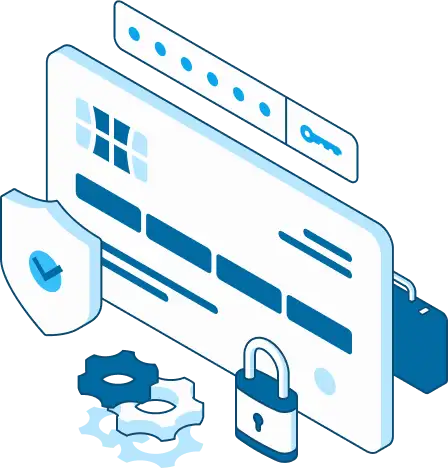
Verify who is using the application.
Control what the user and AI are allowed to access.
Give AI only the permissions required for the task.
Define which actions an AI system can perform.
Require approval for sensitive or consequential actions.
Record important AI actions and system activity.
Protect sensitive business information throughout the AI workflow.
Validate important AI-generated information before it affects business systems.
Monitor AI usage, errors, costs and workflow activity.
AI should extend your application's capabilities without bypassing the security controls that protect your business.
We first understand:
We determine whether AI is actually the appropriate technology.
Potential opportunities include:
We define:
We integrate the AI capabilities into the application.
This can include:
AI systems require testing beyond traditional software testing.
We evaluate:
We deploy the solution into the appropriate application and infrastructure environment.
AI applications need ongoing attention.
We monitor:
AI technology changes quickly.
Rather than building around a single model or provider, we focus on the application, business requirements and desired outcome.
Depending on the project, an application may use:
Depending on the application and requirements, we can work with appropriate AI model providers and APIs.
The focus is not on using a particular model simply because it is popular.
The application and business outcome come first.
Such As:
AI could:
AI could:
"What is the status of my request?"
"Show me my outstanding invoices."
"What documents do I need to submit?"
The AI assistant can use authorized customer information to provide relevant answers.
"Which customers have unresolved issues?"
"What jobs are scheduled tomorrow?"
"Which invoices were rejected?"
"Summarize this customer's account."
The assistant can retrieve information from connected systems.
Your existing application may already contain the data, business logic and workflows that make AI valuable. Sometimes, the best first step is to improve the software behind them. Oracast can assess what is working and modernize the parts that need attention, helping you build on your existing investment and create a stronger foundation for AI.
For example:
In these situations, application modernization can create the foundation needed for AI.
Flow:
AI-powered applications are different from traditional applications.
The software may remain unchanged while the AI services, APIs, models, usage patterns and knowledge sources evolve.
Oracast can provide ongoing management for AI-powered applications.

AI App Care Can Include:
Build it once. Keep improving it as your business and AI technology evolve.
An AI model is only one part of an AI-powered business application.
The real value comes from connecting AI to the application, business data, users, workflows and systems surrounding it.
We understand how business applications work.
We integrate AI models and capabilities into real software.
We connect AI to application data and business systems.
We can host and manage the application environment.
We design AI capabilities around permissions, controlled access and monitoring.
We can continue managing and improving the application after launch.
We don't just add AI to software. We build AI into the way the software works.
You don't need to know which AI technology to use before talking to us.
Start with the business problem.
We can review your existing application, workflows, data and integrations to identify practical opportunities for AI.
We Can Look For Opportunities In:
A practical AI opportunity roadmap can identify:
An AI-powered application is software that uses artificial intelligence to help users search, understand, analyze, generate, recommend or perform tasks using application data and business workflows.
No.
A chatbot is one possible interface. AI can also be integrated into search, reporting, document processing, recommendations, business workflows and automated actions.
Yes.
AI can often be integrated into existing applications through APIs, databases, knowledge bases, application services and workflows.
Not necessarily.
AI can sometimes be added directly to an existing application. If the application has significant technical limitations, modernization may be appropriate before or alongside the AI project.
Potentially, with appropriate architecture and security controls.
AI should not receive unrestricted database access. Access should be controlled through appropriate application services, permissions and defined tools.
Potentially, depending on the system and its integration capabilities.
AI can work through APIs and other controlled integration mechanisms to retrieve information or perform approved actions.
Yes.
AI agents can potentially perform defined actions such as creating records, updating information, preparing communications or triggering workflows.
Sensitive actions can require human approval.
An AI agent is an AI system that can use defined tools and take actions to accomplish a task rather than simply generating a response.
AI search allows users to search business information using natural language rather than relying solely on keywords or navigating multiple systems manually.
The appropriate model depends on the application, data, security requirements, performance requirements and cost.
Oracast can integrate AI models and APIs based on the needs of the project rather than designing the application around a single provider.
Security can include authentication, authorization, least-privilege access, controlled tools, data isolation, audit logging, human approval, output validation and monitoring.
The cost depends on whether AI is being added to an existing application or included in a new application, as well as the complexity of the data, integrations, workflows and AI capabilities required.
An assessment can help define scope and provide a more meaningful estimate.
Your business already has applications, data, workflows and systems.
AI can help you get more value from them.
Whether you want to add an AI assistant, improve search, automate documents, analyze business data or build an AI-powered application from the ground up, Oracast can help you determine what makes sense and build it.
Talk to Us About Your AI Application